


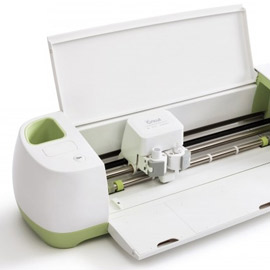
Preface This video was created to test and demonstrate how to import SVG files (from SVGCuts.com) into Cricut's new Design Space software for the Cricut Explore machine. As of this writing (Wednesday, February 19th, 2014), we've not yet actually cut our files with the Cricut Explore (we should have one very soon) so we're not […]
How-To

Separating SVG Files With Score Lines in SCAL and SSDE
In the following video, we'll discuss: Sure Cuts A Lot 3 / eCAL - Adding SVGCuts.com Zip files to My Designs Silhouette Studio Designer Edition - Importing SVG files and setting cut styles Silhouette Studio Designer Edition - How to use the eraser tool to separate elements of an SVG file from SVGCuts.com Sure Cuts A […]
SVG Files Not Opening In Silhouette Studio Designer Edition - Centering SVG Files
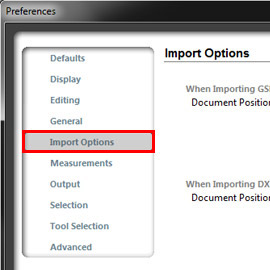
Problem: When I open SVG files, they don't show up on the mat! Solution: Because SVG files contain coordinate information, some of our files may import OFF of the cutting area. We've got a quick fix for that! Video Instructions Written Instructions From the main toolbar, select File and click Preferences... From the list of preferences, […]
File Organization For Sure Cuts A Lot and Silhouette Studio Designer Edition - PC Version
Is this what your desktop looks like? "Where do I put my files once I download them?" or "How do I organize my files?" are two of the most common questions we receive. There's nothing worse than sitting down to work on a project only to spend minutes (hopefully not hours) looking for your SVG […]
Free SVG Files for Silhouette Cameo and Silhouette Studio Designer Edition
What do I need to cut SVG files? If you have a Silhouette Cameo, Portrait or the older Silhouette SD, you can cut our amazing library of SVG files using the Silhouette Studio Designer Edition software or Sure Cuts A Lot 4 software! Note: You don't need both programs, just one or the other! The "Designer Edition" […]
How To Get Better Photos With Point and Shoot Cameras
Not everyone has enough spare change sitting around to purchase an expensive Digital SLR camera, and some of those that own them continue to have issues taking decent photographs of their paper projects. Why? It's all Flash's fault. Yes, we're talking about you Mr. Flat Light. Your camera's built-in flash helps you capture properly exposed […]

Adding SVGCuts' PDF Files To Your iPad
We all love our gadgets and we love to stay organized! In this tutorial, I'll show you how to transfer your SVGCuts' PDF files to your iPad! Save some trees, stay organized and be more efficient! Let's go! Installing Apple's iBooks App In order to view our PDF files, you'll need to install Apple's iBooks […]
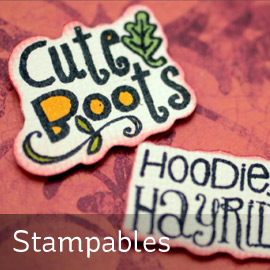
Stampables (SVG Files For Unity Stamps)
Stampables are optional SVG files that complement your SVGCuts & Unity Stamps! Check out the video above for a demonstration! Stampables work with any SVG compatible software and cutting machine, like the Sizzix eclips (eCAL software), Silhouette CAMEO, SD and Portrait (Silhouette Studio Designer Edition software), Boss Kut Gazelle, Pazzles Inspiration and many more! Note* Actual […]

SVGCuts.com Wish List Feature
As much as you'd like to, we know that you can't buy ALL of our kits and collections in one fell swoop! But now you can browse our store and add your "must have" SVGs to a wish list! How Do I Add Products To My Wish List? 1. Log In or create a new […]
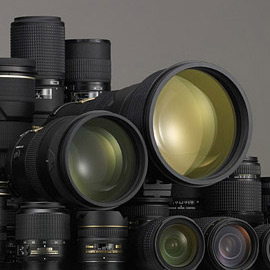
Photography Tips for Paper Crafters - Lenses, Lenses and More Lenses Part I
So you've purchased (or are considering the purchase of) a digital SLR camera. You may have noticed that some cameras come bundled with a lens or two, but you're just not sure which bundle to purchase and you're wondering why there are so many lenses to choose from! When should you use a telephoto lens? […]